
Before we touch a single cable, the first step in any professional installation is to create a detailed visual plan—a network diagram. This blueprint shows every device—routers, PoE switches, Wi-Fi access points, CCTV cameras—and exactly how they connect and communicate. This diagram is the single most critical step in our process, ensuring your smart home or business network performs flawlessly from day one.
Why Your Project Demands a Professional Network Diagram
Think of a network diagram as the architectural plan for your entire technology infrastructure. Whether our team is designing a cutting-edge smart home for a luxury villa in Sotogrande or a multi-floor office network in London, this diagram is our non-negotiable starting point. It provides the rock-solid foundation for building reliable, scalable, and secure networks that meet the highest standards.
Attempting an installation without this detailed plan is one of the costliest mistakes you can make. A professionally crafted diagram prevents expensive guesswork, simplifies future upgrades, and guarantees that every piece of equipment—from a Hikvision CCTV camera in Estepona to a complex Crestron automation system—performs exactly as intended. For our clients, it provides total clarity on the project's scope and the exceptional quality we deliver.
The Blueprint for Success
For our engineers, this diagram is the ultimate source of truth. It allows our teams, whether based in the UK or on the Costa del Sol, to apply the same exacting standards of precision engineering to every project. It doesn't matter if it's a smart home installation Spain relies on for seamless connectivity or a complex multi-building fibre upgrade in London; the principles of meticulous planning remain the same.
This document is absolutely essential for several key reasons:
- Proactive Problem Solving: We can identify potential bottlenecks or compatibility issues long before they become real-world headaches.
- A Smoother Installation: It provides our technicians with a clear roadmap, reducing installation time and minimising disruption to your home or business.
- Future-Proof Planning: We design a scalable plan from the start, so integrating additional Wi-Fi, CCTV, or smart home automation later is straightforward and cost-effective.
- Efficient Maintenance: If an issue ever arises, this infrastructure map helps our team troubleshoot and resolve it in record time, often remotely.
This level of meticulous planning has never been more vital. As technology becomes more integrated into our lives, a clear visual guide is essential for managing complexity and ensuring reliability. A professional diagram provides this clarity, demonstrating the attention to detail that defines our work.
A network diagram isn't just a drawing. It’s a strategic document that aligns everyone, from the client to the on-site engineer. It’s our commitment that the final system will not only meet but exceed your expectations through innovation and reliability.
Ultimately, a clear network diagram is also a cornerstone for meeting audit requirements and mastering compliance in industries like financial services. This blueprint is fundamental to our commitment to excellence. To see this approach in action, explore our work as a leading smart home installer in London.
Laying the Groundwork for Your Diagram
A truly effective network diagram doesn't begin with software; it begins with a deep understanding of your needs. Our process starts with asking the right questions to discover what the network must do. This is the first action our engineers take during a site visit, whether we're planning a Wi-Fi system design London clients depend on or a sophisticated new-build smart home installation in Spain. This upfront discovery phase is what separates a professional, resilient design from a reactive, messy afterthought.
The goal is to go far beyond a simple list of devices. We build a complete picture of your requirements, not just for today but for the future. We analyse how you live and work, identifying every single device that will connect to the network—not just computers and phones, but every smart light, every audio-visual component, and every high-definition security camera.
Building Your Device Inventory
First, we create a complete inventory of every piece of equipment. This is a non-negotiable step that informs everything from bandwidth requirements to the specific network infrastructure hardware we specify. For a real-world example like a luxury villa Wi-Fi and CCTV installation in Estepona, this list can become extensive very quickly.
Your inventory should cover several key areas:
- Core Network Infrastructure: This includes routers, modems, managed PoE switches (we frequently specify hardware from industry leaders like Ubiquiti or Ruijie), and patch panels.
- User Devices: Laptops, smartphones, tablets, and smart TVs requiring stable, high-speed connectivity for streaming and work.
- Smart Home & AV Integration: Control systems (like Crestron), multi-room audio amplifiers, and 4K video distribution hardware.
- CCTV and Security Systems: A detailed count of all IP cameras (such as professional Hikvision models), access control systems, and alarm panels.
Tallying these devices allows us to calculate the total Power over Ethernet (PoE) budget your switches require and ensures the core network has the capacity to handle peak demand without compromising performance.
A common oversight is planning only for current devices. A great network diagram is a forward-looking document. It anticipates growth, ensuring the infrastructure we install today won't become a frustrating bottleneck in a few years' time.
This infographic breaks down why investing time in a detailed network diagram from the outset is so critical.
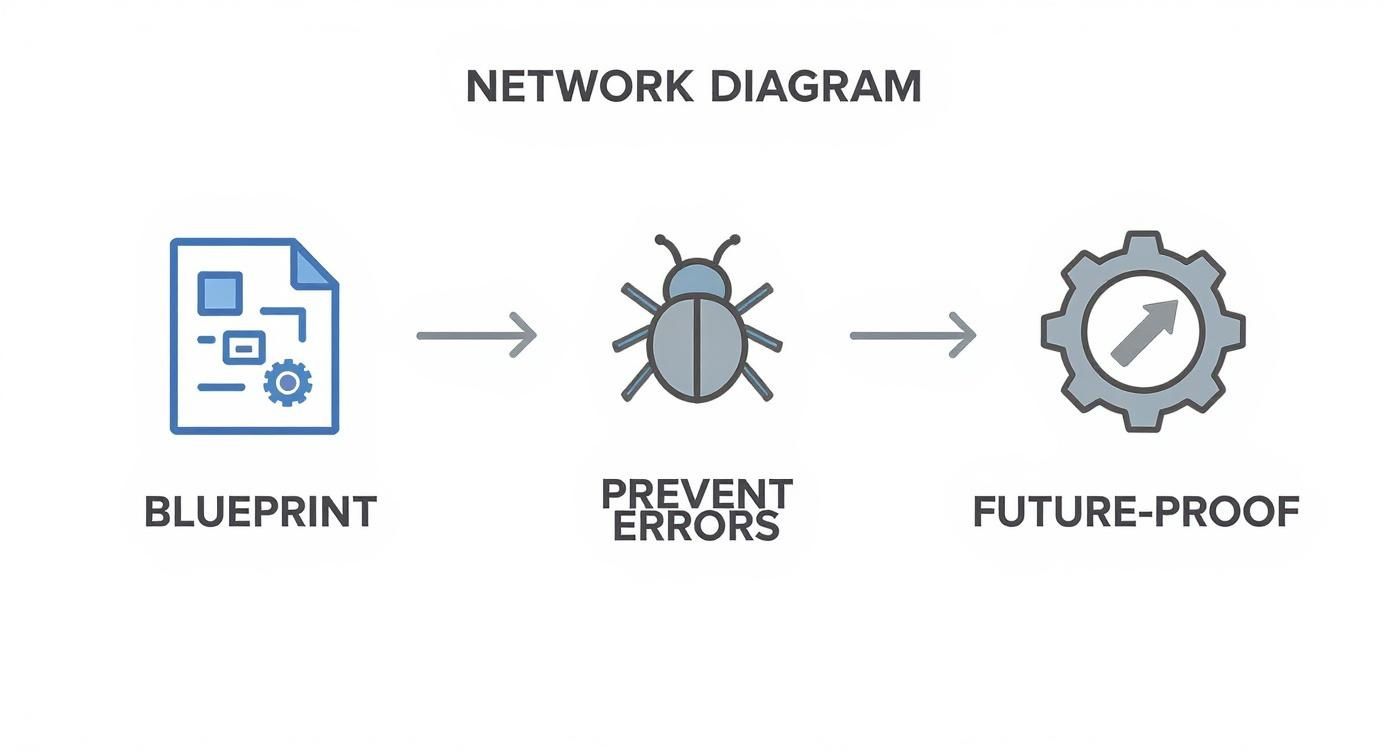
When you visualise the network as a professional blueprint, you avoid costly errors during installation and end up with a reliable system ready for future technological advancements.
Mapping the Physical Environment
Once we know what we're connecting, the next piece of the puzzle is where. Physical barriers are the enemy of a high-performance network. Obstacles like thick concrete walls, reinforced floors, or long distances between buildings can degrade signal and performance. We meticulously map these elements to determine the optimal cabling routes and the perfect placement for Wi-Fi access points to deliver seamless coverage throughout your property.
This is where selecting the right network infrastructure becomes critical. For example, deciding whether you need Cat6, Cat6a, or a fibre backbone is a crucial decision point. To dive deeper into the technical specifics, you can read our guide on the differences between Cat 6 vs Cat 7 ethernet cables. Getting this level of detail correct ensures the final diagram isn't just a theoretical drawing, but a practical, actionable blueprint for a network that simply works.
Ready to plan your perfect network? Book a consultation with MTL Smart Solutions, the network infrastructure experts in the UK and on the Costa del Sol.
Choosing Your Network Diagramming Toolkit
While a quick sketch can initiate a concept, a professional network requires professional tools. To create a diagram that serves as a genuine blueprint for your system, our engineers rely on specialised software to produce clear, standardised, and actionable plans that reflect our attention to detail.
Let's discuss the tools our network infrastructure experts actually use on projects, from high-end residential installations in London to sprawling luxury villas in Estepona.

The Right Tool for the Job
The market offers a wide range of options, from accessible online tools like Miro and Lucidchart to heavyweight software designed for highly complex projects. The right choice always depends on the specific requirements of the installation.
For a simple overview, a drag-and-drop tool may suffice. But when planning a multi-building fibre upgrade or a sophisticated smart home with integrated AV and security, simpler tools often lack the depth required to ensure a perfect outcome.
To help you navigate the options, here's a brief overview of the tools we encounter most often and their ideal applications.
Comparing Top Network Diagramming Tools
| Tool | Best For | Key Features | MTL's Take |
|---|---|---|---|
| Miro | Collaborative brainstorming and initial high-level planning. | Infinite canvas, real-time collaboration, vast template library. | Fantastic for developing initial concepts with the project team. It’s less about technical precision and more about creative flow in the early stages. |
| Lucidchart | Small to medium-sized business networks and clear documentation. | AWS, GCP, and Azure icon libraries, data linking, easy sharing. | A solid all-rounder. It strikes an excellent balance between ease of use and the technical features needed for most standard projects. |
| Microsoft Visio | Enterprise-level, highly detailed physical and logical diagrams. | Industry-standard symbols, deep integration with Microsoft 365. | This is the industry benchmark for a reason. For deep, technical documentation where compliance and standardisation are key, Visio remains a powerhouse. |
| draw.io | Quick, free diagrams for small projects or personal use. | Free to use, integrates with Google Drive and Dropbox, simple interface. | You can't beat the price. It's ideal for simple layouts or when you need to create something quickly without a subscription. |
Choosing a tool is more than a matter of preference; it's about matching the software's capabilities to the project's demands to ensure no detail is overlooked.
Features That Truly Matter
When we evaluate a diagramming tool, we have a non-negotiable checklist of features. These aren't just "nice-to-haves"; they are essential for delivering the reliability and meticulous attention to detail MTL Smart Solutions is known for, whether we're serving clients in the UK or on the Costa del Sol.
Here’s what we always look for:
- Comprehensive Symbol Libraries: We need accurate, up-to-date icons for all the hardware we install. This includes specific symbols for equipment from our trusted partners like Ubiquiti, Ruijie, and Hikvision. This visual shorthand makes diagrams instantly readable for our technicians on site.
- Logical and Physical Diagramming: A professional toolkit must excel at creating both types of diagrams. We need logical maps showing data flow and IP schemes, alongside physical diagrams detailing exact rack layouts and port-to-port connections.
- Collaboration and Version Control: On large, complex projects, multiple engineers may contribute. Real-time collaboration and a robust version history are vital for maintaining a single source of truth and preventing costly errors.
The goal isn’t just to draw a map; it's to create a living document that is as precise and reliable as the network itself. The right software enforces standardisation and removes ambiguity, which is critical for flawless execution.
Ultimately, your choice of software influences the entire project lifecycle. A detailed diagram helps us specify every component, from the core switches that power the system to the final CCTV installation in Estepona.
This level of detail is fundamental. For instance, visualising device connections helps us specify the right hardware. Our guide on what a managed network switch is explains why this choice is so crucial for modern smart homes and businesses.
Ready to move beyond basic sketches and plan a truly professional network? Contact MTL Smart Solutions today for a tailored quote and let our experts design the perfect system for you.
Mastering the Logical and Physical Views
A truly comprehensive network plan is not a single diagram but a combination of two distinct yet interconnected views: the logical and the physical. At MTL Smart Solutions, we treat both with equal importance. This dual-pronged approach underpins every reliable and impeccably organised smart home or business network installation we deliver.
The logical diagram is the 'brains' of the operation. It illustrates how data flows around the network, showing the relationships between devices rather than their physical locations. This is where we map out IP addressing schemes, configure VLANs to segment traffic for security and performance, and define routing protocols.

The Logical Diagram: Data Flow and Intelligence
A crystal-clear logical diagram is invaluable for efficient network management and troubleshooting. Imagine a specific group of Hikvision cameras at a commercial site in London suddenly drops offline. Instead of tracing cables, a glance at the logical diagram instantly reveals which VLAN they belong to and which PoE switch powers them. The problem can be diagnosed in minutes, not hours.
A robust logical diagram always includes:
- IP Addressing: Every device is assigned a unique IP address for clear identification.
- VLAN Segmentation: We use VLANs to group devices, enhancing security and performance by keeping guest Wi-Fi traffic completely separate from your core network, for example.
- Routing Information: We define the precise paths that data packets will take across different network segments.
- Cloud Connections: The diagram maps out exactly how your on-site hardware communicates with external cloud services.
This clarity is more important than ever. With cloud adoption continuing to rise, it's vital to have a clear map of today's complex hybrid environments.
The Physical Diagram: Hardware and Connections
If the logical diagram is the brain, the physical diagram is the skeleton. It details every piece of tangible hardware and the exact route of every cable. This is the blueprint our installers rely on, whether they are running Cat6a cabling in a Sotogrande villa or installing a fibre backbone in a London commercial property.
When creating the physical view, understanding the core components, like a small office network rack, is crucial for visualising the real-world setup. It’s a literal map showing that port 12 on patch panel A connects directly to the Wi-Fi access point in the master bedroom, leaving no room for error.
The physical diagram brings a level of precision that eliminates guesswork during installation. It ensures every cable is accounted for, and the final result is as neat and organised as the plan itself.
Our physical diagrams are meticulous, ensuring the high standards of UK engineering are present in every project, including our CCTV installation Estepona services. If you're keen to learn more about professional cable management, our resources on creating a wiring diagram are a great place to start.
By mastering both views, we build a complete, multi-layered picture of your network. This rigorous planning is the secret ingredient behind every successful Wi-Fi system design in London and smart home installation in Spain we deliver.
Pro Tips for a Diagram That’s Clean and Built to Last
Anyone can connect boxes with lines. But crafting a network diagram that is genuinely useful—clear, easy to interpret, and ready for future expansion—requires real expertise. It's the difference between a rough sketch and a professional blueprint that serves as a valuable asset for years to come.
At MTL Smart Solutions, we adhere to these principles on every project. It's how we ensure that the same high standards of UK engineering are delivered to our clients on the Costa del Sol. A diagram for a Wi-Fi system design in London is built on the exact same foundation of clarity and reliability as one for a luxury villa in Manilva.
Keep It Simple, Keep It Standard
The first rule of a great diagram is consistency. A mix of different icons, inconsistent labels, and messy lines creates confusion—the last thing you need when troubleshooting an issue or planning an upgrade. We are strong believers in standardisation to cut through the noise.
Here’s our approach:
- Stick to Standard Icons: We use symbols that are either universally recognised or specific to the manufacturer. A Ubiquiti access point should look like one, and a Hikvision camera should be instantly identifiable. This creates a visual shorthand any engineer can understand immediately.
- Develop a Clear Labelling System: Every device, port, and cable requires a logical, consistent label, including hostnames, IP addresses, and cable IDs. A robust labelling system means tracing a connection from a patch panel to a specific device is a two-minute job, not a two-hour headache.
When the visual language is clean and consistent, your diagram becomes a powerful tool for rapid troubleshooting and seamless maintenance.
Document Everything and Think Ahead
A diagram without key details is only half the story. While we avoid visual clutter, capturing critical information is non-negotiable. This includes data like VLAN IDs, subnet masks, and specific port configurations, either directly on the diagram or in a linked document.
More importantly, a network diagram should never be just a snapshot of today; it must be a plan for tomorrow. We always design with growth in mind, considering what you might need in one, five, or ten years. This foresight is crucial when it's time to add a new wing to a property, integrate a new smart home system, or expand a CCTV installation in Estepona. It becomes a simple addition, not a complete network overhaul.
A great network diagram is a living document. It evolves with your needs, tracks every change, and provides a clear roadmap for future expansion. This meticulous approach is the foundation of a truly future-proof network.
This forward-thinking approach is critical as technology evolves at an unprecedented pace. Building adaptable diagrams is the only way to keep up and ensure your network is ready for the next innovation.
As network infrastructure experts UK and Costa del Sol clients trust, MTL Smart Solutions knows that brilliant planning is the secret to brilliant performance. If you’re ready for a network designed for today and prepared for tomorrow, request a site visit from our team for a professional consultation and a tailored quote.
Bringing Your High-Performance Network to Life
A brilliant network diagram is the essential first step, but it's the real-world execution that truly separates a good network from a great one. This is where detailed plans are transformed into a living, breathing, high-performance reality. For our engineers, that diagram is the definitive roadmap guiding every action, from the first cable pull to the final system handover.
https://www.youtube.com/embed/5Yx1W40CbUY
At MTL Smart Solutions, we excel at bridging the gap between design and delivery. Our entire process is geared towards flawlessly executing your vision. Whether we are overhauling a business network in London or crafting a sophisticated smart home installation in Spain, the plan is our bond. It ensures our teams in both the UK and on the Costa del Sol deliver the same exceptional standards of innovation, reliability, and attention to detail, every time.
From Blueprint to Bulletproof
The value of a professional diagram becomes immediately apparent when the installation begins. It empowers our technicians to work with exceptional efficiency and precision, which means less disruption for you and a dramatic reduction in costly errors that arise from guesswork. Every device, from a Hikvision CCTV camera to a Ruijie Wi-Fi access point, is installed, configured, and tested against that initial blueprint. The result is a system that isn't just functional, but perfectly optimised for your needs.
Our end-to-end managed network services cover every aspect of the installation:
- Structured Cabling: We expertly install robust Cat6/6a and fibre optic backbones.
- Hardware Configuration: We handle the detailed setup of PoE switches, routers, and firewalls.
- System Integration: We ensure your Wi-Fi, AV, and security systems communicate seamlessly.
- Rigorous Testing: Before project completion, we conduct comprehensive tests to guarantee rock-solid reliability and speed.
This is how we deliver the innovation and performance our clients expect. We build networks that not only excel today but are ready for the demands of tomorrow.
A diagram is a promise of performance. The installation is the delivery of that promise. At MTL Smart Solutions, we ensure the final product is a perfect reflection of the initial design—resilient, organised, and exceptionally reliable.
This meticulous approach ensures every project, from a CCTV installation in Estepona to a complete network upgrade in the UK, is handled with an obsessive level of detail. It provides the stable backbone that every modern property requires for everything from smart home automation to mission-critical business systems. To learn more about what powers today's connected businesses, explore our guide on Wi-Fi solutions for business.
Ready to transform your plans into a powerful reality? Whether you're in the UK or on the Costa del Sol, MTL Smart Solutions has the expertise to design and build the resilient, high-speed network your property deserves. Contact us today to book a consultation and discover the difference that professional planning and execution can make. Find out more at https://mactolife.com.